


Pixel 4D™ Live Wallpapers
4.712.93K Reviews
App Specs
- Version
- 3.4.6
- Updated On
- License
- Free
- Downloads
- 50,000,000+
- Developer
- TarrySoft
- Categories
- Personalization
- Platform
- Android, iOS
Screenshots
 Analysis by AppCompare
I usually change my phone wallpaper when the screen starts to feel like visual clutter rather than a small personal touch. A static image can look good, but it stays flat; a live one can add movement and depth without changing how I use the phone. That is the appeal of Pixel 4D™ Live Wallpapers: it is a personalization app from TarrySoft focused on animated, layered backgrounds, including AMOLED-friendly choices and high-resolution artwork. I’d consider it when I want my lock screen or home screen to feel more individual, not when I need a new tool for organizing or managing my device.
Choosing a wallpaper that fits the way I use my phone
My starting point is not “Which image looks most dramatic?” but “Will I still like seeing this every time I check the time?” That makes the preview stage useful. I can look at a design on the screen before committing, and judge whether its movement and contrast suit the icons and information I already rely on. A busy image might be striking on its own yet make the home screen harder to scan; a calmer background can add personality without competing with everything placed on top of it.
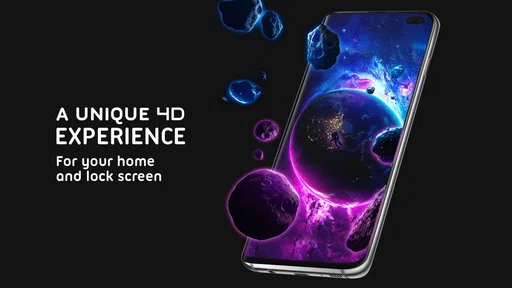
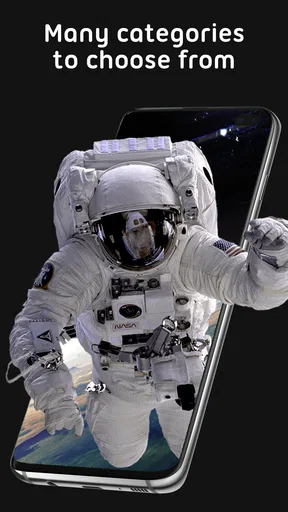
The app’s focus is more specific than a basic wallpaper picker. Its collection includes animated 3D-style scenes and a parallax effect that gives an image a sense of depth as the phone moves. If I enjoy that subtle illusion, it can make an ordinary glance at the screen feel less static. If I prefer a completely still background, or find motion distracting, the same feature is a reason to choose a conventional image instead.
From browsing to setting the image
In my workflow, I browse with a particular screen in mind, preview a few candidates, and only then decide where the wallpaper belongs. That order matters: a design that suits the lock screen may be too visually active behind a grid of app icons. Trying the preview first is a simple way to catch that mismatch before I settle on it. I would also compare a bright option with a darker one rather than choosing only by thumbnail; the phone’s actual screen layout changes how the composition feels.
The range of subjects gives the browsing process room to follow a mood, whether I’m after an abstract pattern, nature, animals, space, or sports imagery. I would treat those categories as starting points, not a promise that every theme will suit every taste. A practical trick is to pick a wallpaper for the job it needs to do: a clean, low-detail design for a crowded home screen, and a more elaborate scene for a lock screen that I mainly glance at. This makes the visual choice feel intentional instead of simply picking the most eye-catching preview.
What the 3D effect adds—and what it asks of you
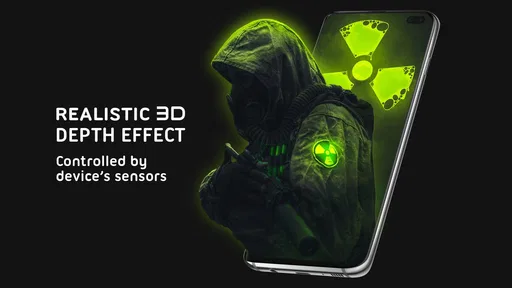
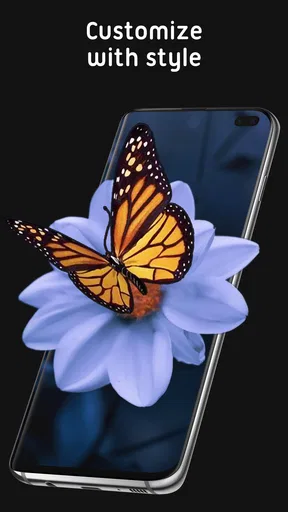
The parallax effect is the main reason I would choose this over a static background. As the phone tilts, the scene appears to shift, lending the image a little dimensionality. I like this best when the movement is a small accent rather than the entire point of the wallpaper. It can make a familiar device feel refreshed, but people who keep their phones still or dislike animated visuals may not get much value from it.
There is also a trade-off in choosing detail. A layered scene needs room to read clearly, while icons and widgets take up that same space. I would preview a candidate with my usual home-screen arrangement in mind, especially if I keep several rows of apps visible. If the artwork makes labels difficult to pick out, I would rather use it on the lock screen or switch to a simpler design than compromise everyday readability for an effect I only notice occasionally.
Worth Reading Before You Choose

Baby Panda World Brings Quick Play to Modern Phones, but Its Game Library Feels Busy

ESPN’s Live Game View Makes Following Close Games Easier

QuizzLand Review: A Good Fit for Short Trivia Breaks, Not Every Player

Basketball Stars: Multiplayer Is Fast, but Can It Recover When Matches Go Wrong?

WEBTOON Turns Phone Updates Into a Better Reading Routine

Link to Windows Runs on Shared Habits, Not Social Feeds
A daily routine, from lock screen to home screen
Imagine checking your phone between errands: you wake the screen to read a notification, unlock it, then tap a map or message app. In that brief handoff, the lock screen is where a detailed moving background can make the strongest impression, while the home screen has to remain easy to navigate. I would test both placements separately instead of assuming that one wallpaper works equally well in both. A striking scene can be enjoyable on the first screen and distracting on the second, where I need to find an app quickly.
That small test also helps answer a common practical question: can I preview before applying? Yes, the app lets me see a wallpaper before setting it, which makes it easier to decide whether the composition works on my screen. I’d use that moment to check the visible clock area and the space behind icons, then back out if the result feels crowded. The best wallpaper here is not necessarily the most elaborate one; it is the one that still feels comfortable after repeated checks throughout the day.
How it compares with ordinary wallpaper choices
Compared with choosing a still picture from a photo gallery or a phone’s built-in wallpaper options, Pixel 4D™ is aimed at people who specifically want motion and apparent depth. A static image is the better choice when I want predictable simplicity, a personal photo, or the least visual activity possible. The app makes more sense when I want a ready-made animated look and enjoy changing the phone’s appearance from time to time.
That difference is also a useful way to decide whether to install it. If I rarely change backgrounds, a standard wallpaper picker may already cover my needs. If I like browsing themed artwork and want a more dimensional effect, a dedicated collection is more appealing. The choice is not about one approach being universally better: it is about whether movement adds enough enjoyment to justify having an animated background rather than a still one.
The app is free to download, with optional in-app purchases ranging from $0.49 to $99.99 per item. I would treat that broad range as a reason to check the price shown for a particular item before making a purchase, rather than assuming every wallpaper or feature costs the same. The free starting point makes it easy to explore, while the optional purchases mean I can decide whether any paid content is worth it to me instead of treating spending as a requirement.
Battery, smoothness, and the limits of a live background
Battery use is a fair concern with animated wallpaper because the background is doing more than displaying a still picture. My practical approach is to try the effect during normal use, not judge it from a quick preview, and then decide whether the visual payoff feels worthwhile on my own device. The app is presented as optimized for battery use, but I would still avoid making a blanket promise that an animated wallpaper has no impact at all. If battery life is a priority, a static image is the simpler, more conservative option.
Likewise, the overall experience depends partly on the phone and on what else is happening on it. I would pay attention to whether the animation feels smooth and whether I actually notice it after the novelty wears off. The strongest use case is a person who enjoys a small visual flourish during frequent screen checks. Someone who wants maximum simplicity, dislikes motion, or would rather reserve attention and battery for other tasks may find a static background more satisfying.
It is also worth keeping the role of the app in perspective. This is a way to change the look of a screen, not a tool that changes the phone’s layout or makes routine tasks faster. The useful outcome is personal: a background that feels more like mine, while leaving the normal way I unlock and use the device intact. That modest expectation makes it easier to judge whether the result is worth keeping.
Who is likely to enjoy it
I’d recommend trying it if you enjoy animated art, like refreshing your phone’s appearance, and want options beyond a single still image. Its subject variety helps if you change your taste with the season or simply get tired of seeing the same background. The app has a 4.7 average from around 1.1 million ratings, and has been installed over 50 million times, so it is clearly a widely used choice in this corner of personalization. Those figures tell me it has broad appeal, though they cannot decide whether its visual style suits my own screen.
The app is free, rated for Everyone, and its current version is 3.4.6. It was released on February 13, 2018, and requires Android 8.0 or later. Those details make it easier to check whether it fits an Android device before spending time exploring the collection. The app has also received around 13,000 written reviews, another sign that many people have tried it, but I would still judge the actual wallpaper previews against my own preferences rather than relying on popularity alone.
I would be less inclined to recommend it to someone who wants a personal photograph as the background, prefers a completely still screen, or is very particular about keeping visual elements unobtrusive. A photo picker gives more direct control over personal images, while built-in static wallpaper choices can be quicker when all I want is a clean background. Pixel 4D’s appeal is narrower and clearer: it is for people who want themed, animated depth rather than simply any image behind their icons.
Where the flow can break down
The main friction is that a good-looking preview does not automatically make a good everyday wallpaper. Movement can compete with screen content, intricate designs can clash with app icons, and the animation may feel less special once it becomes part of a routine. My workaround is to test one choice at a time and give it a few ordinary days, rather than cycling through several designs in a single sitting. That makes it easier to tell whether the wallpaper genuinely improves the experience or only impresses me in the moment.
Another point to keep in mind is that tastes differ across screens. A composition that appears balanced in a preview may feel too busy once I see it alongside my own icons and widgets. I would not keep a wallpaper just because its artwork is appealing; if it makes the screen harder to read, I would try another style or use the animated image only where it has more space. This is a small but useful distinction between liking an image and liking it as a working phone background.
For someone deciding whether to try it, the simplest route is to start with a design that has a clear focal point and does not rely on constant motion to be interesting. Preview it, check how it looks against the screen elements you use, and notice whether the parallax feels pleasant or distracting. If you do not like the result, switching back to a static background is a sensible outcome, not a failure to use the app correctly.
My take after fitting it into a real routine
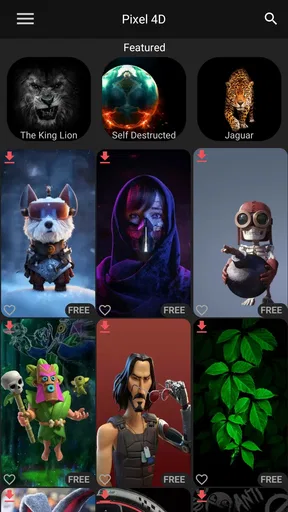
When I first opened Pixel 4D™ Live Wallpapers, I was greeted with a sleek and intuitive interface. It's user-friendly, which means you don't have to be a tech guru to navigate through it. The app offers a wide range of live wallpapers, each one more stunning than the last. From abstract designs to mesmerizing nature scenes, there's something here for everyone. The app also allows you to preview the wallpapers before you set them, which is a neat feature that gives you a feel of how they'll look on your screen.
A Dive into the Features
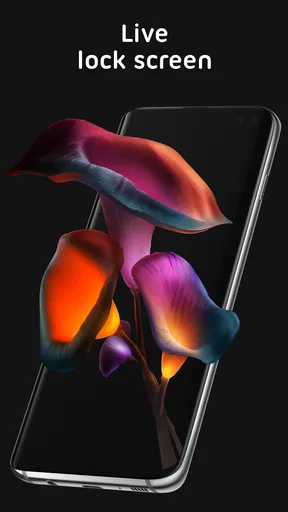
One of the standout features of Pixel 4D™ is its 3D parallax effect. This effect gives the wallpapers an impressive depth, making it seem like the images are moving as you tilt your phone. It’s like having a little window into another world right on your screen! The app supports both lock screen and home screen setups, so you can have a seamless experience throughout your device.
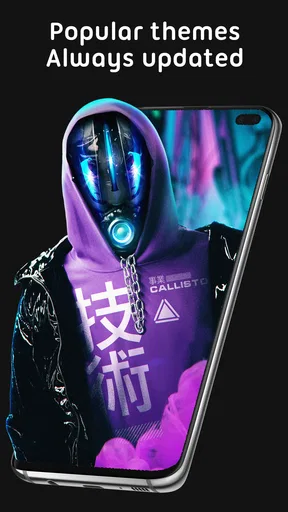
Now, let me tell you about the customization options. The app offers a variety of categories, such as animals, space, and even sports. You can easily switch between wallpapers with just a tap, keeping your phone's appearance fresh and exciting. Plus, the app is constantly updated with new wallpapers, so there's always something new to try.
Performance and Battery Life
One concern I always have with live wallpapers is their impact on battery life. With Pixel 4D™ Live Wallpapers, I was pleasantly surprised. The app is optimized to ensure minimal battery drain, which is a huge plus. I noticed that my phone's performance remained smooth, even with the most dynamic wallpapers in play. The developers have clearly put effort into making sure the app doesn't bog down your device.
Compatibility and Accessibility
The app is available for both Android and iOS, which means most users can enjoy its offerings. The installation process is straightforward, and the app doesn’t require any complex settings to get started. Whether you're a seasoned tech enthusiast or someone just looking to beautify their phone, Pixel 4D™ caters to all.
Wrapping It Up
In conclusion, Pixel 4D™ Live Wallpapers is a fantastic choice if you want to add some vibrant flair to your phone. The variety and quality of wallpapers are top-notch, and the app's performance is impressive. It’s easy to use, doesn’t drain your battery, and offers a unique way to express your style through your device. So, why not give it a try? You might just find your next favorite wallpaper!
Remember, the world of wallpapers is vast and ever-evolving, and with Pixel 4D™, you have a handy tool to explore it. Happy customizing!
Pros
- Vibrant 3D animations enhance device aesthetics.
- Extensive library with diverse wallpaper options.
- User-friendly interface simplifies navigation.
- Low battery consumption despite high-quality visuals.
- Regular updates introduce fresh content frequently.
Cons
- Some wallpapers require a premium subscription.
- Occasional lag on older devices.
- Ad presence can disrupt user experience.
- Limited customization for free version.
- In-app purchases may be pricey for some users.
FAQs for Pixel 4D™ Live Wallpapers
What is Pixel 4D™ Live Wallpapers, and how does it work?
Pixel 4D™ Live Wallpapers is an innovative app that offers a wide array of 3D and 4D animated wallpapers for your smartphone. It utilizes advanced parallax effects to create an immersive visual experience that responds to the tilt and movement of your device, making your screen come alive with dynamic backgrounds.
Is Pixel 4D™ Live Wallpapers compatible with all smartphones?
The app is compatible with most Android and iOS devices. However, to enjoy the 4D effects, your device should support the necessary motion sensors. It's recommended to check the app's compatibility with your specific device model on the Google Play Store or Apple App Store before downloading.
Does using Pixel 4D™ Live Wallpapers drain battery life?
Live wallpapers, including those offered by Pixel 4D™, can consume more battery than static images due to their dynamic nature. However, the app is optimized to minimize battery usage. Users can adjust settings to reduce impact, such as lowering animation speed or disabling certain effects when battery preservation is crucial.
Are there any in-app purchases or subscriptions within Pixel 4D™ Live Wallpapers?
Yes, while Pixel 4D™ Live Wallpapers offers a range of free wallpapers, there are premium options available through in-app purchases. Users can opt for a subscription to unlock exclusive content and remove ads, providing a more extensive and ad-free experience.
How can I customize my wallpaper using Pixel 4D™ Live Wallpapers?
Customizing your wallpaper is straightforward. Once the app is installed, browse through the extensive gallery of live wallpapers, select your preferred style, and apply it. Users can also tweak settings such as speed and intensity of the effects to tailor the wallpaper to their liking, ensuring a personalized experience.


